
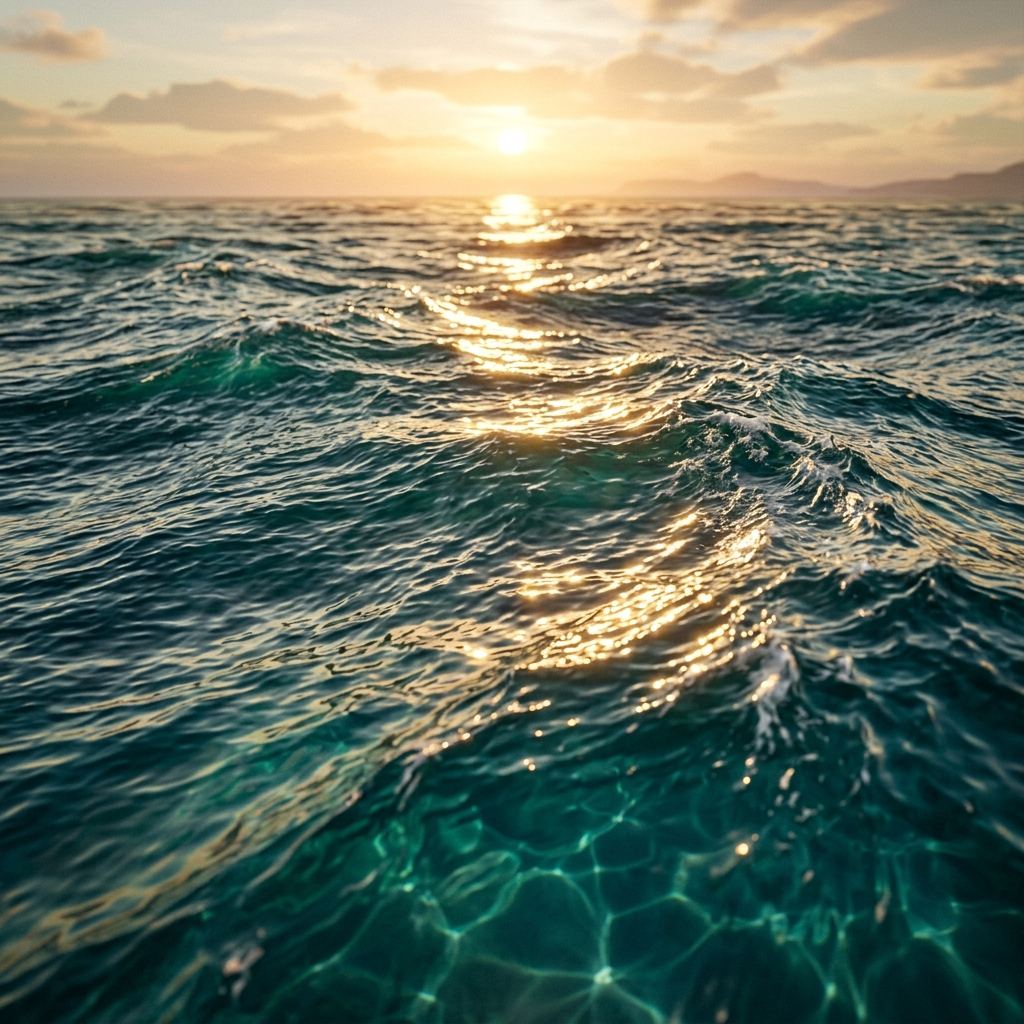
Rendering believable water in real-time game engines—whether a serene alpine lake, an undulating ocean surface, or a dynamic river rapid—relies heavily on tangent-space normal maps. Water is an optical paradox in 3D graphics: it possesses almost zero diffuse base color, deriving its visual presence almost entirely from specular surface reflections, Fresnel edge fading, and optical light refraction.
In modern vertex and fragment shaders (such as Unity Shader Graph or Unreal Engine Material Editor), moving water surfaces are rarely simulated through billions of physical fluid dynamics particles due to severe computational limits. Instead, technical artists utilize dual-panning normal map arrays, flow maps, and procedural Gerstner wave displacement. This guide breaks down the mathematics of water normal maps, how to blend directional ripple layers without tiling artifacts, and how to configure real-time water shaders.
The Optical Physics of Fluid Normal Mapping
Real-time water rendering relies on normal maps to distort environment reflections and calculate micro-surface Fresnel factors:
[Camera Eye Vector V] ──> [Water Surface Fragment]
                                  │
                                  ▼
[Dynamic Tangent Normal N (Blended Water Ripple Maps)]
                                  │
                                  ▼
[Fresnel Term Calculation: F = F0 + (1 - F0) * (1 - dot(V, N))^5]
Perpendicular Gaze (Straight Down) ──> Low Reflectance (Sees Lakebed)
Glancing Gaze (Horizon Edge) ──> 100% Mirror Specular Reflectance (Skybox)
                                  │
                                  ▼
[Refraction Distortion UV] = ScreenUV + (N.xy * RefractionStrength)
By animating normal map coordinates over time, the pixel shader dynamically tilts surface normal vectors ($N$). This continually shifts the angle between the viewer’s eye and the light source, creating the illusion of glistening sun glints, churning wake ripples, and swimming caustics without displacing physical polygon vertices.
Try generating this material directly with our AI Seamless Texture Generator.
Technical Comparison: Water Simulation Techniques in Game Engines
Choosing the appropriate water surface technique balances GPU processing overhead with visual fidelity:
| Simulation Pipeline | Technical Implementation | Best For | Performance Overhead | Silhouette Wave Displacement |
|---|---|---|---|---|
| Dual-Panning Normal Maps | Two scrolling normal textures blended at contrasting angles | Puddles, swimming pools, calm lakes, flat canals | Extremely Low (Runs on mobile) | No (Mesh remains completely flat) |
| Vector Flow Maps | 2D vector map guiding UV translation along river curves | Winding rivers, waterfalls, turbulent streams | Moderate (Requires 2 texture samples + phase lerp) | No (Requires vertex shader integration for wakes) |
| Gerstner Wave Math | Trigonometric sine wave displacement in vertex shader | Open ocean swells, stormy seas, breaking shorelines | High (Heavy vertex computation per frame) | Yes (Physical 3D wave peaks and troughs) |
| FFT (Fast Fourier Transform) | Frequency-domain ocean spectrum baking | Pre-baked cinematic film ocean simulation | Heavy (Pre-computed simulation grid) | Yes (Highly realistic ocean cresting) |
Step-by-Step Tutorial: Building a Real-Time Dual-Panning Water Shader
Follow this standard industry formula in Unity Shader Graph, Unreal Engine, or Three.js:
- Obtain Two Seamless Water Normal Maps: Generate two tileable water normal textures with contrasting wave frequencies:
- Map A: Broad, slow-rolling swell waves.
- Map B: Crisp, high-frequency wind ripples.
- Apply Contrasting UV Scaling:
- Set UV scale for Map A to
1.0(macro waves). - Set UV scale for Map B to
2.7(micro ripples). Using non-integer multiples prevents obvious repeating tiling grids.
- Set UV scale for Map A to
- Animate UVs with Time Vectors:
- Scroll Map A using a time vector pointing slightly northeast:
(Time * 0.03, Time * 0.02). - Scroll Map B using a time vector pointing northwest:
(Time * -0.02, Time * 0.04). - The opposing directional vectors simulate natural fluid interference and choppy cross-waves.
- Scroll Map A using a time vector pointing slightly northeast:
- Blend Normal Vectors (Reoriented Normal Mapping):
- In Unity, connect both normal outputs into a Normal Blend node (RNM mode).
- In Unreal Engine, use the BlendAngleCorrectedNormals material function. Avoid naive vector addition, which flattens vector lengths.
- Feed Normal Output into Material Inputs:
- Connect the blended normal output to the material Normal slot.
- Set Roughness to a low value (
0.02to0.08) for sharp specular sun glints. - Connect to Scene Color Refraction with a subtle offset multiplier (
0.05) to create underwater refraction distortion.
4 Common Water Normal Shading Artifacts and Fixes
Resolve these common visual flaws in real-time water shaders:
1. Obvious “Conveyor Belt” Sliding Motion
- Cause: Using a single normal map panning along a straight axis looks like a sliding conveyor belt rather than liquid fluid.
- Fix: Always blend at least two normal maps with distinct UV scales panning at different angles and speeds.
2. Harsh Underwater Seams and Depth Clashing
- Cause: Water polygons clipping through underwater terrain creating sharp intersecting geometry lines.
- Fix: Use depth fading (
DepthFadein Unreal,SceneDepthin Unity) to fade water opacity and normal intensity to zero where it meets the shoreline.
3. Jittering Specular Noise at Long Distances
- Cause: High-frequency normal ripples generate sub-pixel specular aliasing when viewed from distance.
- Fix: Ensure normal maps have proper mipmaps generated with standard linear filtering, or fade normal intensity based on camera distance.
4. Overly Violent Refraction Bending
- Cause: Setting refraction strength too high causes submerged underwater rocks and player limbs to appear violently detached from the surface.
- Fix: Clamp refraction offset vectors to a maximum of 5 to 10 screen pixels.
Ready to Generate PBR Normal Maps?
Skip manual baking and transform your 2D images into tangent-space PBR textures in seconds:
- Launch with Preset Prompt: Generate Seamless Material Now
Related reading:
Frequently Asked Questions
Can I generate water normal maps from aerial photographs of water?
Yes. Uploading high-resolution photos of calm lakes, pool caustics, or ocean swells to our online normal map generator extracts surface ripple vectors directly into tileable tangent-space textures.
Why do water shaders use Reoriented Normal Mapping (RNM) instead of vector addition?
Naive vector addition ($N_1 + N_2$) produces un-normalized vectors that distort lighting calculations, causing dark spots and incorrect Fresnel values. Reoriented Normal Mapping (RNM) rotates the micro-ripples across the macro-wave slope correctly.
What is a flow map in river water shaders?
A flow map is a 2D texture where the Red and Green channels store 2D direction vectors ($X$ and $Y$) indicating which way the river current flows around obstacles. The shader uses these vectors to dynamically distort water normal maps along winding riverbeds.
What causes realistic sun glints (specular highlights) on water?
Sun glints are specular highlights calculated by the Blinn-Phong or GGX reflection model. When sunlight strikes the fluctuating angles of a water normal map, tiny surface facets reflect direct sunlight into the camera lens, creating shimmering sparkles.
Does a water normal map require an ambient occlusion or roughness map?
Water does not require an ambient occlusion map since liquid surfaces do not harbor deep static shadow crevices. However, pairing water normals with a smooth, glossy roughness map (roughness $\approx 0.05$) is essential for realistic specular reflections.