
Texturing has historically been one of the steepest bottlenecks in modern game development, VFX production, and architectural visualization. A senior material artist constructing a weathered cobblestone wall or procedural leather in Substance Designer or Adobe Sampler often spends hours — sometimes days — stacking noise nodes, balancing blend masks, and manually tweaking normal derivatives. Photogrammetry scanning solves detail authenticity, but requires costly cross-polarized camera rigs, delighting software, and tedious seam cleanup. Today, the rise of the specialized ai texture generator has permanently altered this paradigm. By harnessing diffusion models trained on physical texture datasets and neural height estimators, artists can synthesize production-ready 4K seamless PBR texture sets from natural language prompts in seconds.
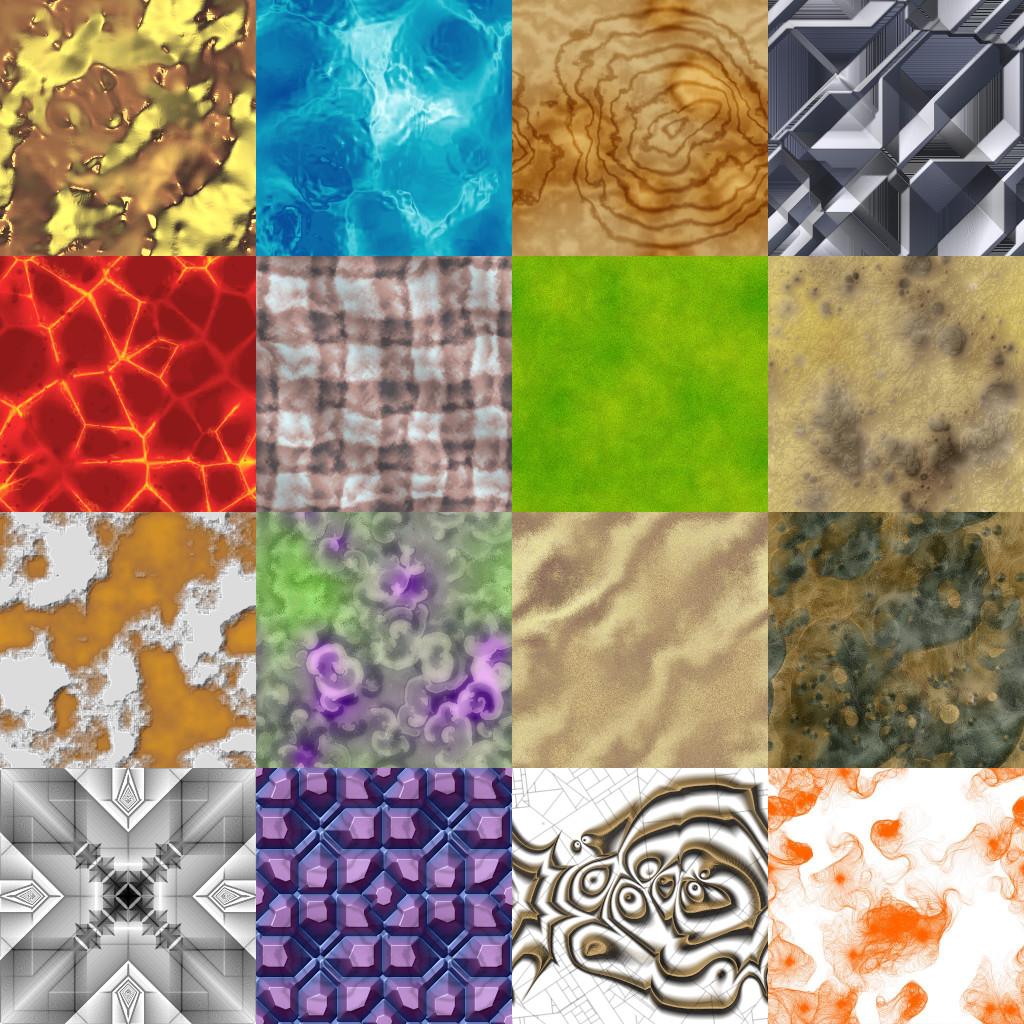
Modern AI texture generators combine latent diffusion pattern synthesis with automated boundary seam wrapping and neural normal map extraction.
However, treating an AI texture generator like a generic 2D image generator (such as Midjourney or DALL-E) produces completely unusable 3D assets. A true 3D texture is not an artistic illustration. It is a set of mathematically synchronized spatial maps: an unlit Albedo base color, a normalized tangent-space Normal map, a calibrated Roughness map, and a 16-bit Height displacement field. Below is the complete technical guide to how AI texture generation works under the hood, how to structure prompts for physical accuracy, and how to integrate AI-generated PBR materials into Blender, Unreal Engine 5, and Unity.
How Specialized AI Texture Generators Work Under the Hood
Understanding the technical architecture of a dedicated AI PBR generator explains why generic image tools fail:
[Dedicated AI PBR Generation Pipeline]
User Prompt ──> [Latent Diffusion Model with Cyclic Boundary Padding] ──> Seamless Albedo (Delit, Flat-Lit)
                               │
                               ├──> [Neural Height / Monocular Depth Estimator] ──> 16-bit Height Map
                               │                                                          │
                               │                                                          ▼
                               ├──> [Sobel / Scharr Gradient Derivative Filtering]  ──> Tangent-Space Normal Map
                               │
└──> [Microfacet Reflectance Regression Network] ──> Physical Roughness + Metallic Maps- Cyclic Boundary Condition Enforcement: Standard AI image models generate images with hard borders. When tiled across a 3D mesh, visible horizontal and vertical seams ruin the surface. Dedicated AI texture engines implement circular (cyclic) padding within convolution and attention layers, ensuring pixels on the left border wrap seamlessly into pixels on the right border.
- Intrinsic De-Lighting (Flat Albedo): A valid PBR Albedo map must represent pure diffuse reflectance, completely free from directional sunlight, cast shadows, and bright specular hot spots. AI texture models are trained on cross-polarized scan libraries to decouple material albedo from scene illumination.
- Neural Tangent-Space Normal Derivation: Rather than running a crude grayscale height filter (which mistakenly treats dark albedo paint as deep physical holes), advanced AI generators evaluate geometric shape and surface curvature, computing true tangent-space normals with correct vector normalization (
[-1, 1]mapped to RGB[0, 255]). - Physical Roughness Regression: The AI estimates microfacet distribution based on material class semantics (e.g., recognizing that porous brick has roughness
0.85while glazed ceramic has0.08).
Procedural vs Photogrammetry vs AI Texture Generation
To decide when to deploy AI texturing in your production pipeline, consult this technical trade-off matrix:
| Feature / Metric | Procedural (Substance Designer) | Photogrammetry Scanning | AI Texture Generator (Dedicated) |
|---|---|---|---|
| Generation Speed | 4 to 16 hours per material | 1 to 3 days (capture + cleanup) | 10 to 30 seconds |
| Hardware Required | Mid-to-high GPU workstation | DSLR camera, ring flash, tripod | Any web browser (Cloud GPU) |
| De-Lighting Accuracy | 100% synthetic (Zero shadows) | High (requires cross-polarization) | High (Automated neural delighting) |
| Seamless Tileability | 100% mathematically seamless | Requires manual clone stamping | 100% native cyclic boundary wrapping |
| Iteration Flexibility | High (parametric node sliders) | Low (requires new physical shoot) | Instant (Text prompt variation) |
| Full PBR Channel Output | Albedo, Normal, Rough, Metallic, AO | Albedo, Normal, Height (Manual Rough) | Full synchronized PBR map bundle |
Master Prompt Architecture for 3D AI Materials
Achieving crisp, physically believable textures requires writing prompts that speak the language of 3D shaders rather than art history. Structure your prompts using the Three-Tier Material Formula:
[Tier 1: Core Material Identity] + [Tier 2: Physical Micro-Surface Details] + [Tier 3: PBR Technical Tags]- Tier 1 — Core Material Identity: Define the base substance, specific variety, and color palette (e.g.,
weathered red Roman clay brickwork,brushed aerospace titanium panel,full-grain cognac saddle leather). - Tier 2 — Physical Micro-Surface Details: Describe physical wear, manufacturing marks, and cavitation (e.g.,
crumbled lime mortar joints and surface pitting,fine directional machine tooling scratches,irregular follicle grain pores and soft sheen). - Tier 3 — Technical PBR Tags: Instruct the neural model to generate flat diffuse lighting and production-ready channels (e.g.,
PBR normal map ready, flat diffuse lighting, no shadows, seamless tileable 4K, macro texture).
Good vs Bad AI Texture Prompt Examples
❌ BAD: "A really cool looking medieval stone wall in a castle with sunlight shining on it dramatic lighting fantasy 8K"
-> Result: Massive directional shadows, skewed perspective angle, totally unusable in a 3D game engine.

✅ GOOD: "Medieval quarried limestone wall, roughly dressed square blocks with chiseled chisel marks and aged mortar, flat overhead diffuse lighting, no shadows, seamless tileable 4K, PBR ready"
-> Result: Flat-lit albedo, perpendicular perspective, perfect seamless tileability, clean normal map vectors.
Step-by-Step: From Text Prompt to Game-Ready Material
Follow this standard pipeline to integrate AI-generated textures into Blender or Unreal Engine 5:
-
Generate the Core Material via AI: Input your structured prompt into an online AI PBR generator. Inspect the generated Albedo to verify that lighting is neutral and flat.
-
Validate Normal Map Coordinates: Check your engine’s normal map coordinate convention:
- OpenGL (Blender, Unity, Godot): Green channel (+Y) points UP.
- DirectX (Unreal Engine 5, 3ds Max): Green channel (-Y) points DOWN.
- If importing into Unreal Engine, open the Normal texture asset and check Flip Green Channel if lighting appears inverted.
[Engine Import Pipeline for AI PBR Maps]
AI Texture Generator ──> [Export 4K Bundle]
                              │
                              ├──> Albedo Map    ──> sRGB Color Space ──> [Principled BSDF: Base Color]
                              ├──> Roughness Map ──> Linear / Non-Color ─> [Principled BSDF: Roughness]
                              ├──> Normal Map    ──> Non-Color (Normal) ─> [Principled BSDF: Normal]
└──> Height Map ──> Linear / Non-Color ─> [Displacement / POM Function]-
Verify Color Space Settings: The most common rendering bug with imported textures is incorrect color space:
- Albedo / Base Color: Must be set to
sRGB(contains gamma-corrected color data). - Normal, Roughness, Metallic, Height: Must be set to
LinearorNon-Color. If you leave Roughness in sRGB, mid-tone values will be distorted by gamma 2.2, making materials appear excessively shiny.
- Albedo / Base Color: Must be set to
-
Package Texture Channels for Game Engine Optimization: For production games, pack multiple grayscale channels into a single ORM (Occlusion, Roughness, Metallic) texture: Red = Ambient Occlusion, Green = Roughness, Blue = Metallic. This cuts texture fetch instructions in half during real-time pixel shading.
Creating Custom AI Textures and Normal Maps Online
Rather than wrestling with complex offline node graphs or paying monthly subscriptions for generic stock libraries with thousands of outdated textures, you can generate customized, production-ready materials tailored to your exact scene dimensions in seconds.
If you need to generate production-ready PBR texture sets, high-precision tangent-space normal maps, and calibrated roughness channels for hard-surface or organic assets, power up your pipeline with our Free Online Normal Map and PBR Generator — Generate Your First AI Material. You can also generate seamless tileable environment patterns for modular walls, floors, and terrains using our Seamless Texture Generator Online.
AI Texture Generation Production Checklist
- Prompts structured using the Three-Tier formula (Material + Physical Micro-Surface + PBR Tags).
- Direct sunlight, cast shadows, and harsh highlights strictly excluded from prompt descriptions.
- Tiling seams checked by offsetting the texture 50% along X and Y axes.
- Green channel (+Y vs -Y) verified for target engine (OpenGL vs DirectX).
- Non-color data channels (Normal, Roughness, Metallic, Height) set to Linear color space.
- Grayscale channels packed into an ORM texture map for real-time performance optimization.
Related reading: Normal Map Creation Workflows Guide · Best Normal Map Creator Online · What is a Tileable Texture · Batch Process PBR Textures and Normal Maps