Try a Sample · Upload Image · AI Generate
Initializing 3D preview
Starting the 3D engine...
Batch processing in progress...
Click buttons to tune
Normal Map Generator Settings
U
V
Generating...
 Normal Map Generator
 Drop any image to instantly generate Normal Maps, Roughness Maps, Height/Bump Maps, and AO Maps. 100% free, real-time WebGL — your images never leave your browser.
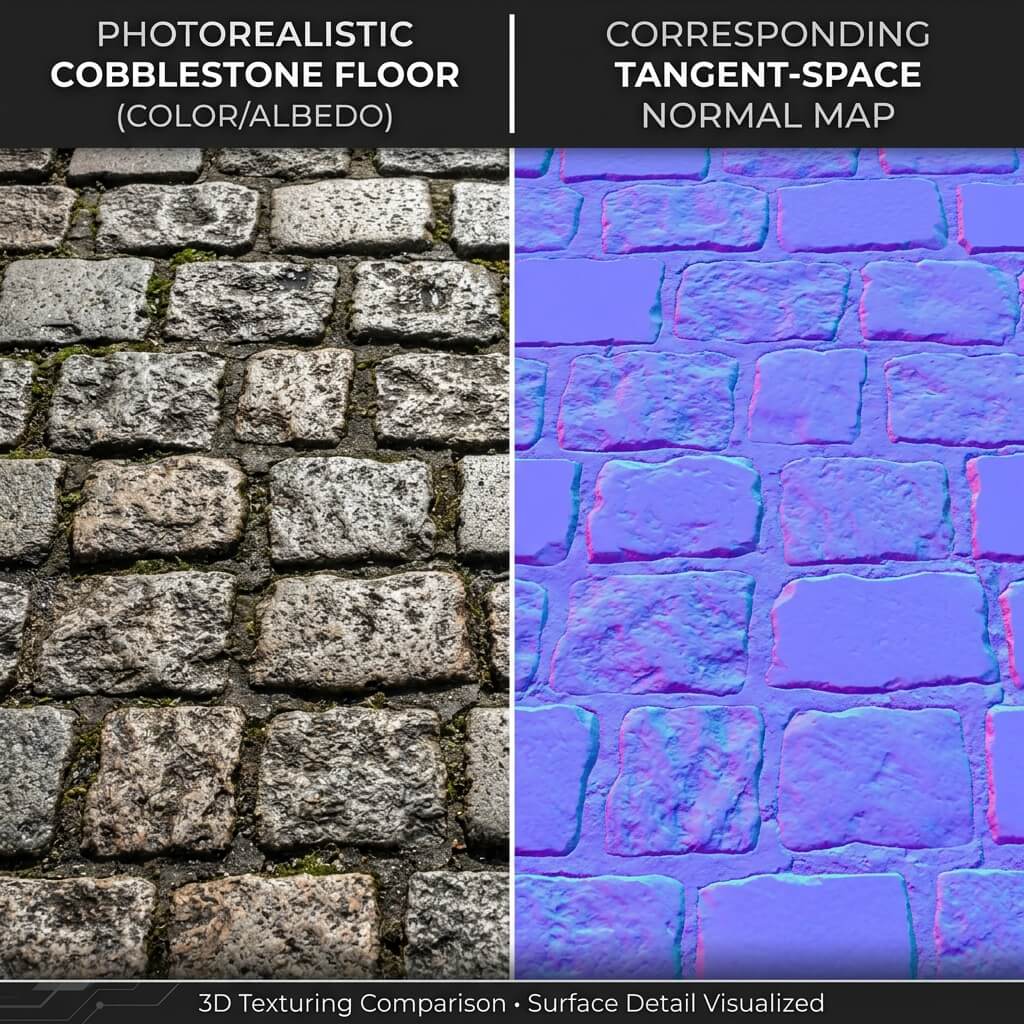
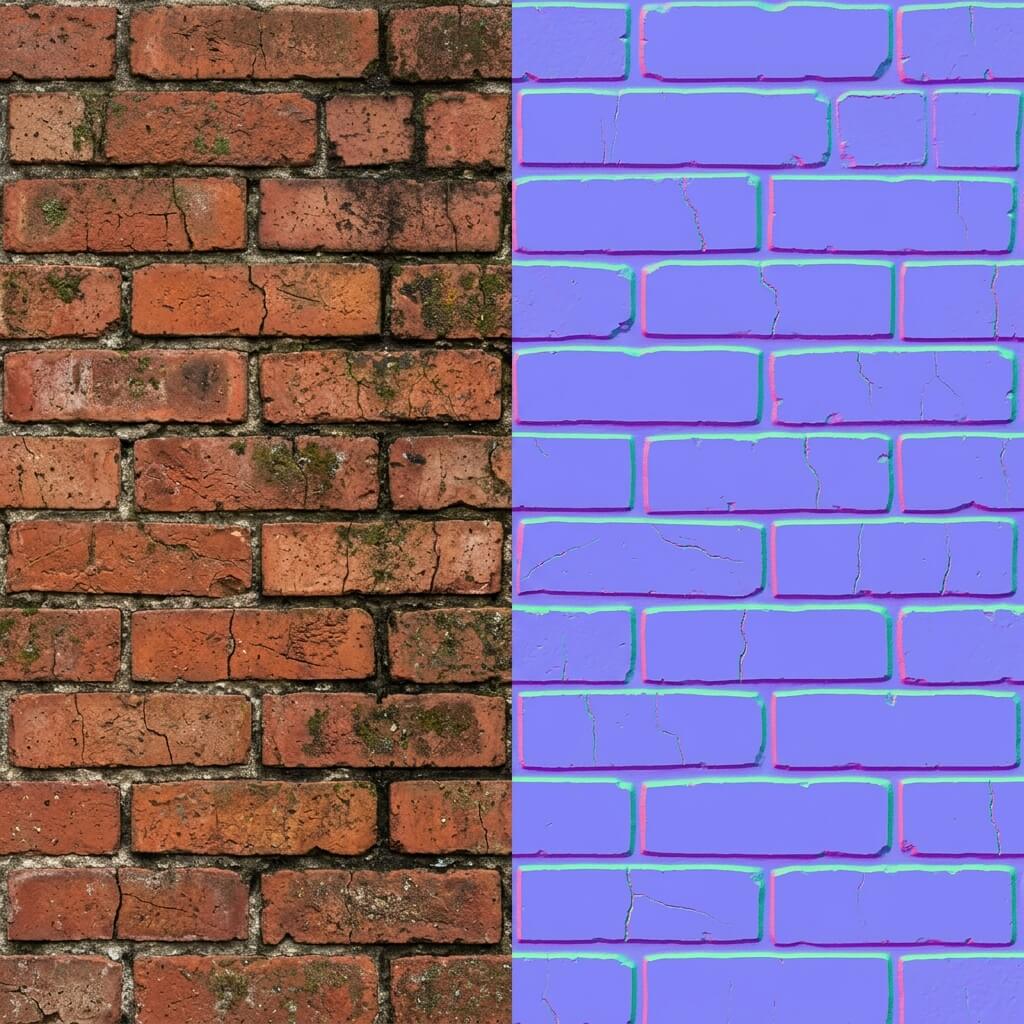
Leverage advanced AI algorithms specifically trained to extract accurate normal data from standard 2D images, ensuring your 3D models look incredibly detailed.
No more waiting hours for texture baking. Get instant, high-fidelity normal, roughness, and displacement maps generated in real-time.
Equip yourself with a complete suite of PBR material generation tools right in your browser, matching the quality of expensive desktop software.
Upload any standard photograph, diffuse map, or albedo texture into our AI normal map generator. We support all common image formats.
Use our intuitive sliders to tweak the normal strength, blur, displacement depth, and roughness levels until you achieve the perfect look in the 3D preview.
Once satisfied, download your complete PBR material package instantly. Your normal map and other textures are ready for Unity, Unreal Engine, or Blender.
Our AI texture generator utilizes your device's GPU through WebGL, meaning all complex calculations happen directly on your machine.
Your source images never leave your computer. We guarantee complete privacy as zero data is uploaded to any remote servers.
Since everything is generated locally from your own inputs, the resulting PBR textures are 100% commercially safe and royalty-free.
Our tool analyzes the lighting and structure of your 2D photo to accurately predict surface angles, generating a precise normal map that adds realistic depth and bumps.
Simultaneously, the AI evaluates the image to determine specular properties and crevice shadows, automatically producing matching roughness and ambient occlusion maps.
Accelerate your game asset pipeline by instantly generating PBR materials for props and environments, perfect for indie devs and AAA studios alike.
Create hyper-realistic walls, floors, and fabrics for your ArchViz renders by turning reference photos into fully tileable PBR materials.
Convert images into displacement maps to add physical surface textures and embossed details to your 3D printing models before slicing.
Optimize real-time performance in virtual reality by using detailed normal maps instead of high-polygon geometry without sacrificing visual quality.
Quickly iterate on material designs by tweaking AI-generated maps in real-time, allowing for rapid look development and style matching.
Easily build consistent textures for specific themes—like sci-fi panels or medieval stone—by processing thematic reference images into cohesive PBR sets.
Skip the tedious manual baking process. Generate a full suite of maps in seconds with a single click.
Experience zero latency and complete privacy with our client-side architecture.
Get everything you need: Normal, Roughness, Ambient Occlusion, and Displacement maps generated simultaneously.
Customize the AI's output to match your specific art style, from photorealistic to stylized.
Integrated seamless texture tools ensure your generated materials tile perfectly without visible seams.
Start generating essential maps completely for free, with premium AI features available for advanced workflows.
Convert height and color data into tangent space normal maps for realistic lighting.
Generate accurate height maps for physical mesh deformation and parallax mapping.
Automatically isolate shiny and matte areas to create realistic surface reflections.
Enhance deep shadows and crevices to give your materials grounded, realistic contact lighting.
Easily define conductive and non-conductive surfaces for accurate PBR rendering.
Automatically remove edges and blend borders to create infinitely repeating textures.
Preview your generated textures instantly on 3D primitives with interactive lighting.
Derive accurate specular maps for legacy rendering pipelines.
Start exploring the power of AI texture generation with our core local tools.
Up to 2,000 generations · Standard generation queue
Up to 5,000 generations · Personal & commercial use
Up to 10,000 generations · Higher resolution support
11,000 generations/mo · Best value — save 50%
1000 credits for $9.90 · Valid for 30 days
NormalMap AI is a browser-based suite of tools that uses advanced algorithms and AI to generate PBR textures like normal maps, roughness maps, and displacement maps directly from standard images.
It utilizes your computer's GPU via WebGL to process images locally. For advanced AI features, it leverages specialized models to predict depth and surface properties from 2D data.
Yes! We have a dedicated seamless texture generation tool that uses AI to blend the edges of any image, making it perfectly tileable.
Simply upload your image, and our tool will automatically analyze the color and contrast to generate a matching roughness map. You can then adjust the global roughness and contrast sliders to fine-tune it.
Absolutely. Because the processing happens locally on your own images, you retain full rights to all generated textures and can use them in commercial games, renders, and products.
100% private. Our core normal map generator runs entirely client-side. Your images never leave your browser and are not stored on any servers.
For best results, use evenly lit images without harsh cast shadows. Flat, diffused lighting allows the AI to interpret surface depth more accurately. You can also pre-process your images to enhance contrast before generating.
Yes, generating textures from your own legally obtained images using AI is completely legal and a standard practice in the modern 3D industry.
It depends on the material. For hard surfaces like metal or stone, higher strength and sharper details work best. For organic materials like skin or fabric, lower strength and a slight blur create a more realistic result.
Yes! You can flip the Green channel (Y-axis) in our editor to match either DirectX (Unreal) or OpenGL (Unity) normal map standards before downloading.
The core local texture generation features are completely free to use. We also offer premium AI-powered tools for advanced generation tasks.
NormalMap AI is a progressive web app (PWA) that runs directly in your browser. While optimized for desktop use due to 3D rendering requirements, you can access it on capable mobile devices without downloading an app store application.