
Natural terrain texturing is the bedrock of environment art in open-world games and architectural landscape visualization. Yet, rock formations are notorious for revealing technical pipeline flaws. If you map a standard texture across a mountain mesh, UV stretching elongates stone striations into muddy vertical streaks along cliff faces. If your normal map lacks frequency separation, massive boulders look like soft lumps of modeling clay rather than brittle, tectonic granite. A production-ready rock texture must balance macro geological stratification with razor-sharp micro crystalline facets.
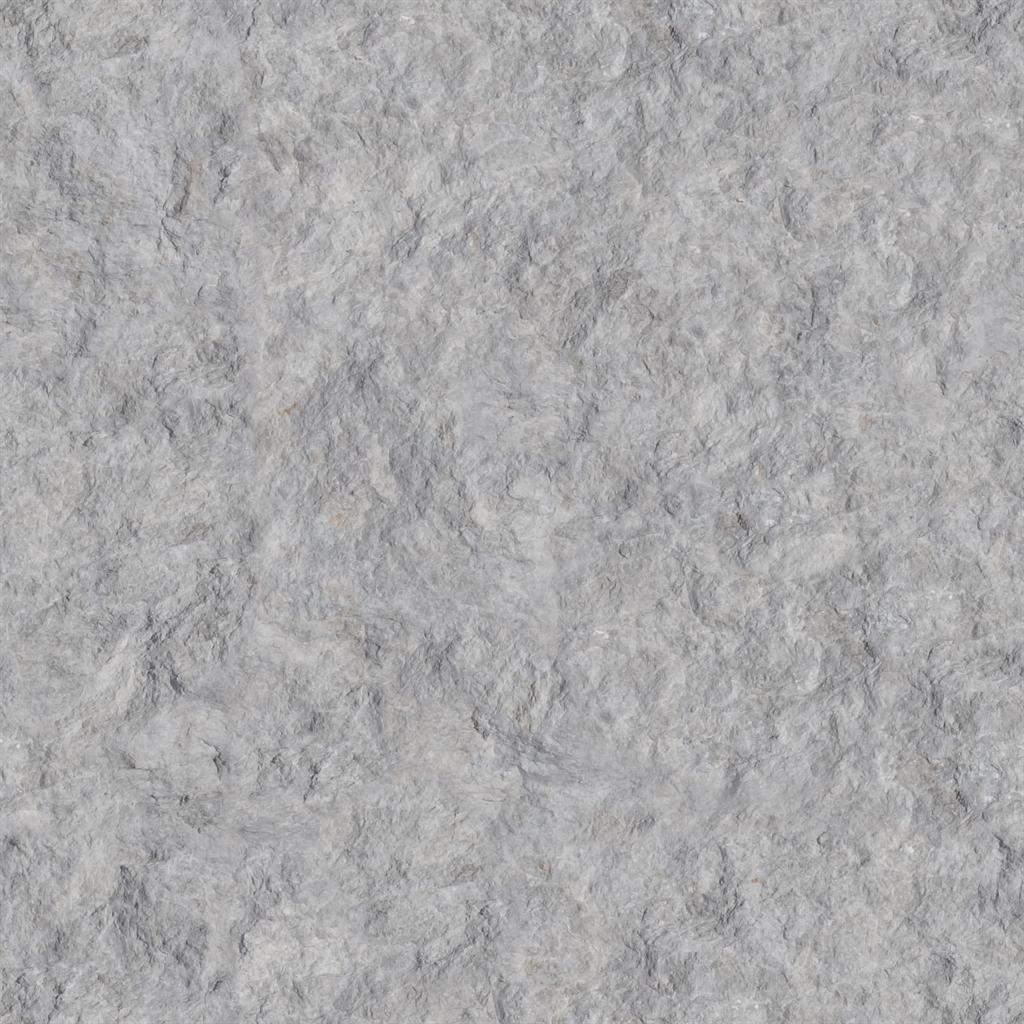
Natural stone and cliff geology demands high relief normal vectors that balance sharp tectonic fracture planes against porous, lichen-encrusted micro-facets.
Achieving believable rock surfaces requires treating stone not as a static 2D bitmap, but as a multi-tier physical volume governed by erosion, fracture planes, and environmental accumulation. Below is the comprehensive technical workflow for authoring, blending, and shading PBR rock materials across massive cliff walls, riverbed boulders, and modular game props.
Geological Layering in 3D Rock Shaders
Real geological formations are formed through volcanic cooling, sedimentation, or metamorphic pressure. Convincing 3D rock shaders mirror these physical processes by separating structural geometry from surface wear:
[Multi-Tier Rock Shader Architecture]
Macro Geometry: Tectonic fracture angles (Bespoke mesh sculpt or low-poly bake) ──┐
                                                                                   ├──> [RNM Blend] ──> [Shader Normal]
Micro Texture: Tiled chisel fractures, quartz crystals, and porous grit (8x Tile) ─┘
                                                                                   │
Slope & Cavity Masks: Driven by World-Z normal and Ambient Occlusion ──────────────┴──> [Blend Moss / Scree]- Macro Tier (Tectonic Strata and Cleavage Planes): Sedimentary rocks (sandstone, limestone, shale) fracture along parallel horizontal bedding planes, while igneous rocks (granite, basalt) fracture along orthogonal joint systems. Capturing these clean angular planes in the primary normal map prevents stones from looking soft or blobby.
- Meso Tier (Chisel Facets and Impact Spalling): Erosion, freeze-thaw cycles, and water impacts shear off flakes of stone, creating planar facets with sharp boundary ridges. Meso normals should feature high contrast along ridge crests and steep shadow drop-offs.
- Micro Tier (Mineral Grain and Biological Growth):
Individual feldspar crystals, quartz veins, and sand grains introduce high-frequency tactile grit. This layer tiles repeatedly (
8xto32x) across large cliff faces to maintain crispness during first-person player close-ups.
PBR Rock and Geological Material Calibration Table
Different stone species exhibit radically different reflectance, roughness, and porosity profiles. Use this calibration matrix to configure your physical rock shaders:
| Geological Stone Type | Base Color (RGB Hex) | Roughness Range | Metallic | Normal Map Profile | Micro-Porosity / SSS |
|---|---|---|---|---|---|
| Weathered Mountain Granite | #8C867E (Mottled salt and pepper) | 0.65 - 0.85 | 0.0 | Angular fracture planes with sharp quartz ridges | Low; high surface scatter |
| Sedimentary Red Sandstone | #B86B4C (Terracotta ochre) | 0.75 - 0.92 | 0.0 | Parallel horizontal sedimentary ripples and bedding grooves | Very porous; soft diffuse response |
| Volcanic Basalt / Lava Rock | #262729 (Charcoal dark) | 0.45 - 0.70 | 0.0 | Cellular Voronoi gas vesicles (pitted vesicular pores) | Zero; sharp specular glints on facets |
| Weathered Limestone Cliff | #CDC8BE (Warm bone white) | 0.70 - 0.90 | 0.0 | Karst dissolution channels and dissolved water rills | Subtle subsurface scatter (0.05) |
| Metamorphic Slate / Shale | #4A4F54 (Blue-gray) | 0.35 - 0.60 | 0.0 | Flat sheared laminae with acute planar step-edges | Dense; anisotropic sheen along cleavage |
Note: All natural rocks are 100% dielectric minerals. Metallic must remain strictly 0.0, with the sole exception of mineralized ore veins containing native gold, silver, or pyrite inclusions.
Step-by-Step: Setting Up Triplanar Slope-Aware Rock Shading
When texturing expansive terrain landscapes and vertical cliff meshes in Unreal Engine 5 or Blender, traditional UV unwrapping introduces severe seam visible artifacts and vertical stretching. Implement this procedural triplanar slope shader:
-
Implement World-Aligned Triplanar Texture Projections: Project the rock diffuse and normal maps along the world X, Y, and Z axes. Compute blending weights from the absolute value of the vertex normal:
Weights = pow(abs(WorldNormal), BlendContrast); Weights /= (Weights.x + Weights.y + Weights.z); BlendedRock = (SampleX * Weights.x) + (SampleY * Weights.y) + (SampleZ * Weights.z); -
Isolate Vertical Cliffs from Horizontal Plateaus: Calculate the dot product between the world-space normal and the vertical up vector
(0, 0, 1). Values near1.0represent flat ground; values near0.0represent vertical cliff walls. -
Blend Terrain Materials via Slope Mask: Use a Smoothstep threshold on the slope factor to transition between grass, soil, or snow on horizontal plateaus (
upDot > 0.7) and bare, chiseled rock on vertical cliff walls (upDot < 0.5). -
Combine Macro and Micro Normals with RNM Logic: Never add rock normal maps mathematically. Rotate the tiled micro-detail normal onto the macro terrain normal using Reoriented Normal Mapping (RNM) to preserve proper vector normalization across extreme cliff overhangs.
-
Accumulate Crevice Dirt and Moss via AO Cavity: Sample the Ambient Occlusion map and invert tight cavities to drive a dark organic dirt mask. Multiply this cavity mask with green lichen or damp soil color to darken inward crevices while keeping exposed ridges crisp and dry.
[Terrain Slope Blending Logic]
World Normal ──> [Dot Product with float3(0,0,1)] ──> [Smoothstep (0.5, 0.7)] ──> [Lerp Alpha]
                                                                                            │
Plateau Material (Grass / Soil / Snow) ─────────────────────────────────────────────────────┼──> [Final Terrain Material]
Vertical Cliff Material (Triplanar Rock + Chisel Normal) ───────────────────────────────────┘
Creating Production-Ready Rock Textures and Normal Maps
Sculpting mountain ranges, rocky outcrops, and modular boulder kits manually in high-poly sculpting software requires days of meticulous pass-by-pass detailing. Modern AI and procedural map generators calculate geometrically sound height fields, extracting sharp cleavage planes and multi-scale erosion gullies directly from high-resolution photo references or text prompts.
If you need to generate production-ready rock normal maps, displacement fields, and complete PBR texture sets for cliffs and boulders, streamline your environment pipeline with our Free Online Normal Map and PBR Generator — Try Granite Cliff Rock. You can also generate seamless tileable terrain rock and stone surfaces using our Seamless Texture Generator Online.
Rock Texture Production Checklist
- Sharp angular fracture planes maintained in normal maps to prevent pillowy clay appearance.
- World-aligned triplanar mapping applied to eliminate UV stretching along vertical cliffs.
- Tiled micro-normal (8x - 16x) blended into macro geometry via Reoriented Normal Mapping (RNM).
- Slope-aware masks utilized to blend plateau vegetation with exposed vertical rock faces.
-
Metalliclocked strictly to0.0across all natural non-mineralized stone surfaces. - Cavity crevices darkened and roughness boosted using ambient occlusion masks to simulate damp sediment.
Related reading: Grass Texture Seamless Terrain Guide · Normal Map Creation Workflows · How to Import Textures into Blender · Dirt Sand Texture Seamless Guide