
In modern high-end architectural visualization and bespoke Italian interior design, one material specification appears constantly in kitchen joinery, executive desks, and bathroom vanities: FENIX NTM. Created by Arpa Industriale, this innovative smart material has redefined contemporary minimalist aesthetics with its velvety soft touch, extreme opacity, and anti-fingerprint properties. Yet, rendering an authentic fenix texture in 3D is a classic trap for architectural visualizers. If you treat Fenix like standard matte plastic or chalkboard paint by cranking roughness up to 1.0 with a flat normal map, the cabinets turn into sterile, flat chalk slabs that kill the photographic realism of the interior.
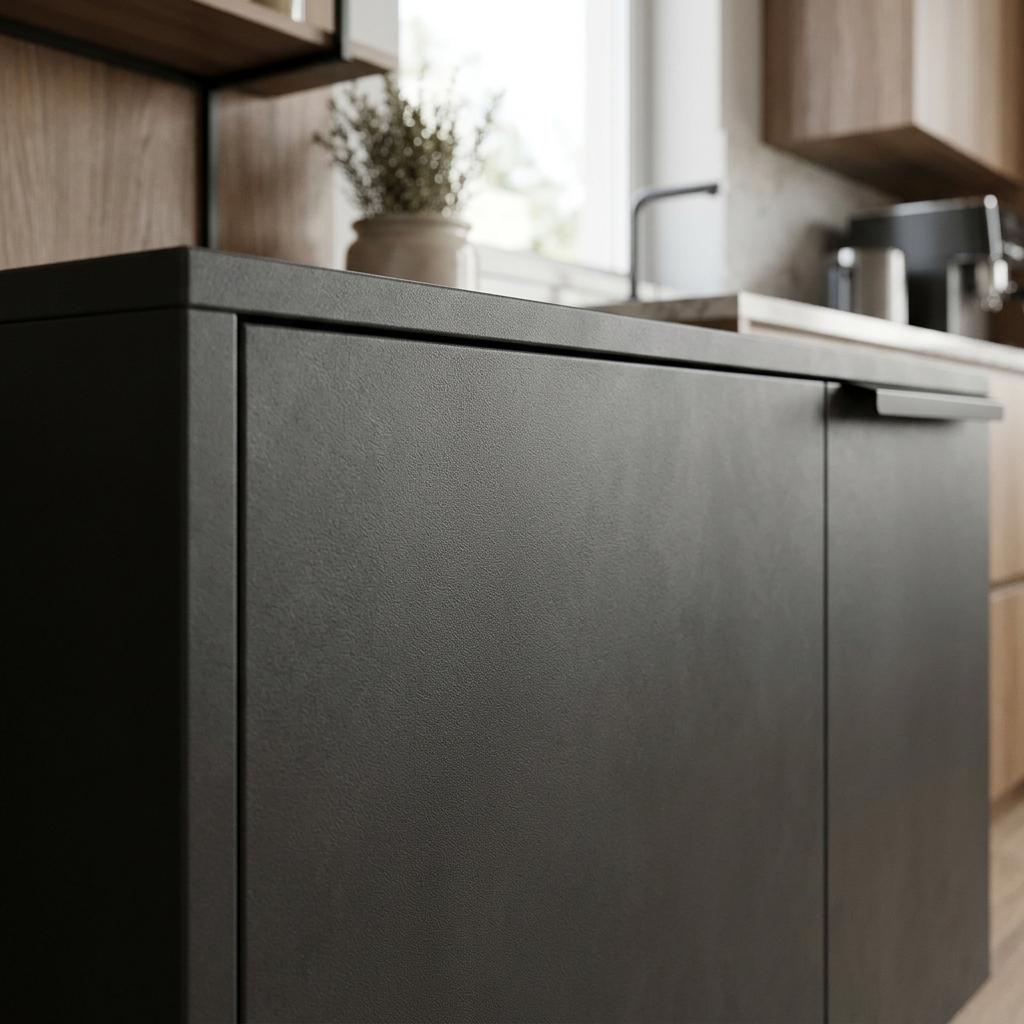
FENIX NTM surfaces achieve extreme light diffusion through a sub-micron nanostructured topography that scatters specular reflection into a velvety, glare-free sheen.
The defining characteristic of FENIX NTM is not the absence of reflection, but the radical diffusion of light. Manufactured through next-generation acrylic resins hardened by an Electron Beam Curing process, its surface is packed with a microscopic, irregular nanostructure. Light hitting the surface scatters in millions of directions, reducing specular gloss down to less than 0.2 gloss units at a 60-degree viewing angle. Below is the full technical breakdown for authoring nanotech micro-normals, calibrating dielectric absorption, and configuring PBR Fenix shaders in Blender, Unreal Engine 5, and V-Ray.
Nanotechnology Topography vs Traditional Laminate
To build an accurate shader, understand how Fenix differs optically from traditional High-Pressure Laminates (HPL) and matte lacquers:
[Light Reflection Behavior: Standard Matte vs Fenix Nanotech]
Standard Matte Lacquer:
Incident Light ──> [Micron-scale Pores] ──> Scattered Specular Flare (Visible hot spots)

FENIX NTM Nanostructure:
Incident Light ──> [Sub-Micron Nano Stipple Topography] ──> Uniform Hemispherical Scatter (Velvety, zero glare)- Sub-Micron Nano-Topography: Unlike standard laminates that feature macroscopic “orange-peel” ripples measuring 1mm to 3mm, Fenix possesses a dense, uniform stipple at the sub-micron scale. In a 3D shader, this requires an ultra-fine, multi-octave micro-noise normal map with minimal displacement height (
Strength: 0.02 - 0.05). - Extreme Specular Diffusion: Traditional matte surfaces exhibit an obvious specular reflection lobe when viewed at grazing angles (Fresnel reflection). Fenix dampens grazing-angle specular intensity significantly, maintaining its deep, saturated color tone even under harsh raking sunlight.
- Dielectric Color Purity: Fenix is constructed from non-conductive thermosetting resins. Its
Metallicvalue is strictly0.0. Deep tones like Nero Ingo (Intense Black) rely on rich organic pigments with high light absorption, reflecting only 3% to 4% of light at normal incidence. - Thermal Healing Micro-Surface: In real life, superficial micro-scratches on Fenix can be thermally repaired with an iron. In 3D rendering, this means Fenix should never show heavy gouges or peeling borders; only soft, localized contact abrasions and fine cleaning microfiber trails.
PBR Fenix Material Parameter Calibration Matrix
The table below outlines calibrated physical parameters and micro-normal settings for the most prominent commercial Fenix colorways:
| Fenix Color Specification | Base Color (RGB Hex) | Roughness Range | Specular IOR | Normal Map Style | Normal Map Strength | Sheen / Velvet Tint |
|---|---|---|---|---|---|---|
| Fenix Nero Ingo (0720) | #161718 (Ultra-deep black) | 0.78 - 0.88 | 1.500 | Sub-micron isotropic nano-noise | 0.03 - 0.06 | Very subtle (0.05) |
| Fenix Bianco Kos (0032) | #F2EFE9 (Pure warm white) | 0.72 - 0.82 | 1.510 | Fine cellular dispersion stipple | 0.02 - 0.04 | None (0.00) |
| Fenix Grigio Londra (0718) | #545759 (London grey) | 0.76 - 0.86 | 1.505 | Isotropic micro-perlin stipple | 0.03 - 0.05 | Subtle (0.08) |
| Fenix Verde Comodoro (0750) | #3B4842 (Deep spruce green) | 0.80 - 0.90 | 1.500 | High-frequency Voronoi grain | 0.04 - 0.07 | Warm green tint (0.12) |
| Fenix Castoro Ottawa (0717) | #7A6F64 (Warm beaver taupe) | 0.75 - 0.85 | 1.505 | Dense organic micro-nap | 0.03 - 0.05 | Neutral taupe (0.10) |
Note: For cabinet door edge bandings, author a localized edge-bevel normal map (0.5mm - 1.0mm radius) to capture the signature seamless laser edge joint characteristic of premium millwork.
Step-by-Step: Constructing an Ultra-Matte Fenix Shader
Follow this production workflow to build a physically accurate Fenix material in Blender Principled BSDF or Unreal Engine 5:
-
Calibrate Base Color Albedo: Avoid absolute zero (
#000000) even for the darkest Nero Ingo colorway. Real-world light meters measure minimum reflectance of dark Fenix around 2% to 4% linear albedo. Set your Base Color to#161718(RGB0.086, 0.090, 0.094in sRGB space) to maintain shadow detail under bounce lighting. -
Generate the Sub-Micron Nano Stipple Normal Map: Fenix requires a continuous vector field with high spatial frequency and ultra-low amplitude:
- In Blender Shader Editor: Add a Noise Texture node (Scale:
250 – 400, Detail:12.0, Roughness:0.70). - Route through a Bump node with Distance set to
0.0002mand Strength clamped to0.03 – 0.05. - Feed the output into
Principled BSDF > Normal.
- In Blender Shader Editor: Add a Noise Texture node (Scale:
-
Tune Roughness to Prevent Chalky Diffuse Washout: Never leave Roughness at an uncalibrated default or flat
1.0. Constrain Roughness between0.78and0.88. Add a very subtle, low-contrast imperfection map (Map Range: 0.78 to 0.84) containing faint horizontal microfiber cloth wiping marks to break up algorithmic perfection across contiguous cabinet doors.
[Blender 4.x Fenix NTM Shader Architecture]
(Base Color: #161718 - Nero Ingo) ───> [Principled BSDF: Base Color]
(Imperfection Map: 0.78 - 0.86) ────> [Principled BSDF: Roughness]
(Metallic: 0.0 - Dielectric) ────────> [Principled BSDF: Metallic]
(IOR: 1.50) ─────────────────────────> [Principled BSDF: IOR]
(Micro-Noise Stipple Normal) ──[RNM]─> [Principled BSDF: Normal]
(1mm Laser Edge Chamfer) ─────┘-
Model Laser Edge Banding Bevels: High-end Fenix cabinetry features laser-welded edge bands where the polymer face melds seamlessly into the edge strip. In Blender Cycles, incorporate a Bevel node (
Radius: 0.8mm) blended with your nano-stipple normal using Reoriented Normal Mapping (RNM). In real-time engines, bake edge chamfers into vertex normals or mesh normal maps. -
Configure Grazing Fresnel Attenuation in Unreal Engine 5: In Unreal Engine 5, standard Cook-Torrance specular models can reflect excessive grazing-angle highlights on high-roughness surfaces. In your Master Material, reduce the Specular pin from the default
0.5down to0.35 - 0.40. This mimics the extreme light-trapping behavior of Fenix’s electron-beam-cured nanostructure.
Creating Custom Fenix Textures and Normal Maps
Hand-painting seamless micro-stipple normal maps and velvety surface textures in 2D image editors often introduces pixel banding, blurry scaling artifacts, or noticeable tiling repetition across large kitchen islands. Procedural and AI-powered texture generators calculate continuous mathematical derivatives that preserve crisp sub-micron facets across 4K and 8K renders.
If you need to generate production-ready Fenix laminate normal maps, nanotech surface imperfection masks, and ultra-matte architectural PBR textures, build your asset library with our Free Online Normal Map and PBR Generator — Try Ultra-Matte Fenix Panel. You can also generate seamless tileable matte cabinetry and countertop surfaces using our Seamless Texture Generator Online.
Fenix Texture Production Checklist
-
Metalliclocked strictly to0.0; Fenix is an absolute dielectric polymer composite. - Base Color albedo calibrated within realistic physical limits (Nero Ingo set to
#161718, never#000000). - Nano-stipple normal map kept at subtle intensity (
Strength: 0.03 - 0.05) with high spatial frequency. - Roughness constrained between
0.78and0.88to preserve soft-touch depth without chalky flattening. - Seamless laser edge banding bevels (
0.8mm - 1.2mm) baked or simulated via shader bevel nodes. - Grazing-angle specular flare attenuated in UE5/V-Ray to reflect authentic anti-glare light trapping.
Related reading: Glossy Beige Laminate Texture Guide · Grey Lacquer Texture PBR Guide · Flat Normal Map Color Guide · Roughness Map Guide