
In 3D product visualization, luxury automotive staging, and cinematic commercial rendering, background lighting is half the battle. Yet, artists consistently make one fatal mistake when setting up moody studio scenes: they drop an untextured, flat black or dark grey color (#0A0A0A) onto their cyclorama wall and call it a day. The visual consequence is immediate and severe. Without micro-surface relief to catch grazing rim lights, the background turns into an unnatural, light-absorbing digital void. High-end hero assets look like they were cut out in Photoshop and pasted onto a void. A physically convincing dark texture background — whether crafted from cleft charcoal slate, brushed titanium, woven carbon fiber, or stippled acoustic studio plaster — provides the tactile specular highlights necessary to anchor dramatic studio lighting.
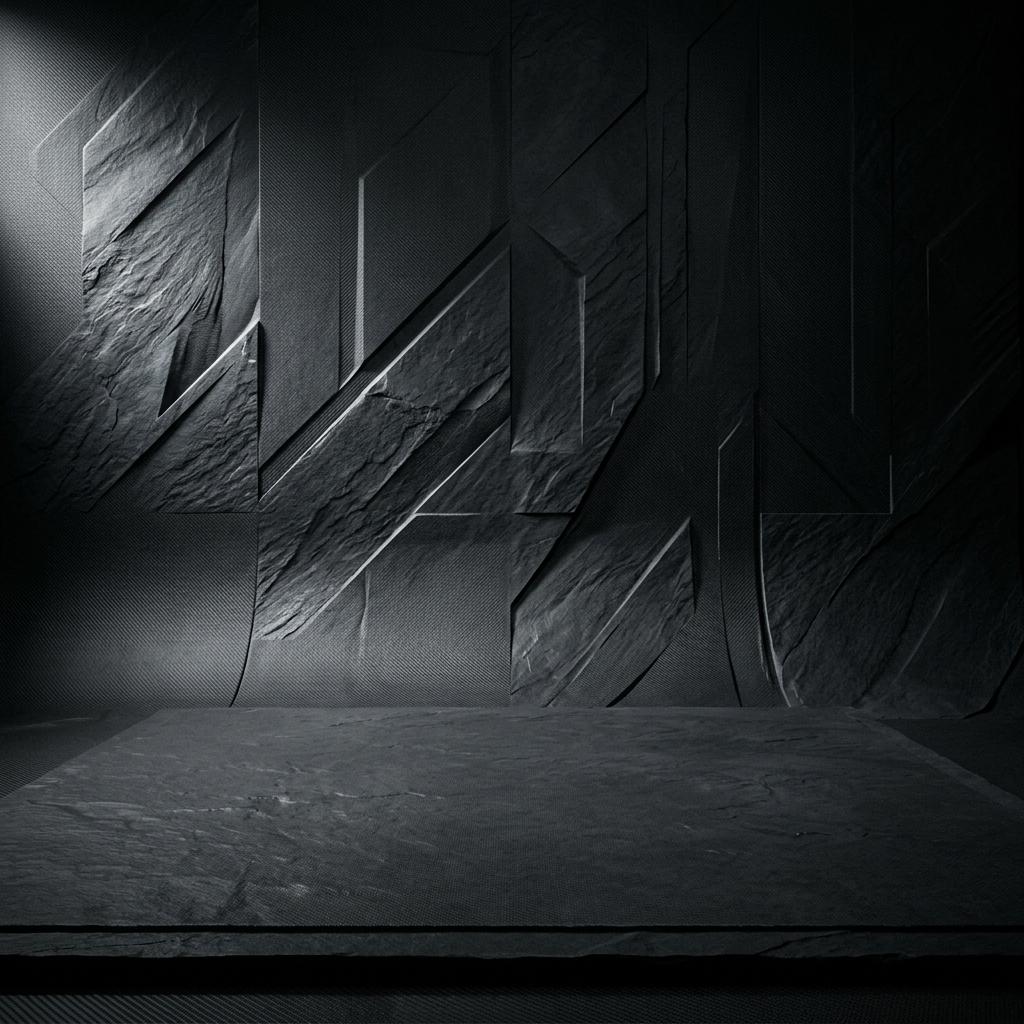
A production-ready dark texture background combines deep dielectric light absorption with micro-normal relief that catches and scatters grazing studio rim lights.
In physical commercial photography, photographers never shoot against pure flat black velvet unless they want a high-contrast cutout. They use textured paper cycloramas, rough slate slabs, or brushed composite backdrops. The reason is simple physics: when a rim light or backlight grazes across a textured surface, microfacet peaks catch sharp specular glints while valleys fall into soft shadow, producing a luminous, gradated depth that separates the foreground subject from the environment. Below is the technical pipeline for authoring dark texture backgrounds, managing cyclorama curvature, and configuring PBR shaders in Blender, Unreal Engine 5, and V-Ray.
The Optical Principles of Dark Studio Backdrops
To build an effective dark backdrop shader, understand how scene photons interact with dark, textured dielectric surfaces:
[Dark Studio Backdrop Light Reflection Physics]
Direct Key Light ─────────> [Dark Pigment Substrate (Base Color #141618)] ──> 96% Absorbed (Deep contrast)
Rim Light Grazing Angle ──> [Micro-Normal Peaks (Cleft Angle 15° - 35°)]   ──> High Fresnel Specular Reflection
Ambient Fill Light ───────> [Cavity Crevices and Bug Holes] ──> Trapped Ambient Occlusion Shading- High Absorption Albedo (Low Base Color): A dark background must absorb most direct scene illumination to preserve high contrast against the hero subject. Base Color albedo should sit between
#121416and#222528(linear reflectance2% - 5%). Setting Base Color to pure black (#000000) is physically impossible and destroys all bounce light calculations. - Micro-Normal Grazing Deflection: The secret to a rich dark background lies in the normal map. Facets oriented between 15 and 35 degrees relative to the wall normal catch strong Fresnel highlights from off-axis rim lights, generating luminous specular silhouettes behind the product.
- Roughness Anisotropy and Sheen: Materials like brushed metals, carbon composites, and fine acoustic felt scatter light directionally. Integrating subtle anisotropy or velvet sheen causes specular highlights to stretch into elegant vertical bands along the background curvature.
- Curvature Mapping on Infinity Cycloramas: Traditional studio cycloramas curve smoothly from horizontal floor to vertical wall (the “infinity cove”). Using standard planar or UV mapping causes textures to stretch and distort along the curved fillet. Triplanar world-space mapping or cylindrical projection is essential.
PBR Dark Background Calibration Reference Matrix
Select and calibrate your dark backdrop material to complement your foreground subject:
| Dark Background Variety | Base Color (RGB Hex) | Roughness Range | Metallic | Anisotropy | Normal Map Profile | Best Use Case |
|---|---|---|---|---|---|---|
| Chiseled Charcoal Slate | #1A1C1E (Dark slate gray) | 0.70 - 0.90 | 0.0 | 0.0 | Deep cleavage planes, stone ridges | Luxury cosmetics, watches, perfume |
| Matte Carbon Fiber Twill | #151617 (Deep graphite) | 0.35 - 0.55 | 0.0 | 0.75 (Directional) | 2x2 twill weave micro-relief | Automotive, consumer electronics |
| Brushed Dark Titanium | #282A2D (Smoked metal gunmetal) | 0.20 - 0.40 | 1.0 | 0.85 (Vertical) | Fine directional micro-grooves | Smartphones, jewelry, hardware |
| Charcoal Acoustic Felt | #1C1D1F (Muted dark charcoal) | 0.90 - 1.00 | 0.0 | 0.0 (Sheen 0.6) | Porous fiber entanglement nap | Audio gear, furniture, apparel |
| Stippled Studio Cyclorama | #18191B (Neutral studio black) | 0.65 - 0.82 | 0.0 | 0.0 | Fine isotropic orange-peel spray | Universal studio product renders |
Note: With the exception of brushed titanium, all stone, felt, carbon, and plaster backdrops are 100% dielectric materials. Keep Metallic at 0.0 to preserve deep color absorption without artificial metallic chrome glare.
Step-by-Step: Constructing a Dynamic Studio Backdrop Shader
Follow this production workflow to create a responsive, light-reactive dark background in Blender or Unreal Engine 5:
-
Model the Curved Infinity Cyclorama: Create a mesh that transitions from floor to wall with a generous fillet radius (
1.0m – 3.0m). Avoid sharp seams; a smooth bevel ensures light gradients flow continuously without harsh shadow lines. -
Implement World-Space Triplanar Mapping: To prevent texture stretching along the curved cove, project your normal and roughness textures using world-aligned triplanar mapping. Blend weights using normalized vertex normals to ensure seamless transitions between horizontal floor and vertical wall.
-
Construct the Micro-Facet Normal Map: For a chiseled slate or stone backdrop, sample a high-frequency stone cleavage normal map tiled at
8xto12x. Keep the normal amplitude moderate (Strength: 0.25 – 0.45). If the normal map is too strong, the background will compete for visual attention with your foreground product.
[Blender 4.x Studio Backdrop Shader Architecture]
(Base Color: #1A1C1E slate) ─────────> [Principled BSDF: Base Color]
(Imperfection Map: 0.70 - 0.88) ─────> [Principled BSDF: Roughness]
(Metallic: 0.0) ─────────────────────> [Principled BSDF: Metallic]
(Stone Cleavage Normal Map) ──[RNM]──> [Principled BSDF: Normal]
(Bevel / Curvature Softener) ─┘
(World-Z Gradient) ──────────────────> [Floor to Wall Roughness Modulator]-
Tune Roughness Gradients from Floor to Wall: Studio floors accumulate shoe scuffs and subtle foot traffic, giving them slightly lower roughness (
0.60 - 0.72) than the vertical wall (0.80 - 0.92). Use a World-Z gradient mask to smoothly blend between slightly more reflective floor tiles and ultra-matte vertical walls. -
Position Grazing Rim Lights for Maximum Tactility: Place a narrow strip light or rectangular softbox behind your hero asset, angled at
15° to 30°relative to the background plane. This raking angle maximizes the Fresnel reflection off the normal map facets, creating a glowing atmospheric halo that illuminates the silhouette of your product.
Creating Custom Dark Texture Backgrounds and Normal Maps
Finding pristine, high-resolution seamless dark textured backdrops with calibrated normal maps and zero baked directional lighting from free photo sites is nearly impossible. Stock photos almost always feature uneven studio light falloff, lens vignetting, or compression banding in dark tonal zones.
If you need to generate production-ready dark texture normal maps, chiseled slate displacement fields, and luxury studio PBR backdrops for commercial product renders, power up your pipeline with our Free Online Normal Map and PBR Generator — Try Dark Slate Backdrop. You can also generate seamless tileable dark studio cycloramas and textured wall panels using our Seamless Texture Generator Online.
Dark Texture Background Production Checklist
- Base Color albedo kept in physical range (
#121416to#222528), strictly avoiding unphysical#000000. -
Metalliclocked to0.0on all non-metallic backdrops (slate, carbon, felt, studio plaster). - World-aligned triplanar mapping applied across curved cyclorama geometry to eliminate fillet stretching.
- Normal map amplitude calibrated between
0.20and0.45to catch rim highlights without distracting from hero assets. - Roughness mapped with subtle micro-imperfections to break up flat digital gradients.
- Studio rim lights positioned at grazing angles (
15° – 30°) to activate microfacet Fresnel reflections.
Related reading: Black Tinted Mirror Texture Guide · Fenix Texture PBR Guide · Grey Lacquer Texture PBR Guide · Steel Texture Seamless