
High-Pressure Laminate (HPL) surfaces and high-gloss polymer cabinetry are cornerstones of contemporary architectural visualization, interior retail design, and modular furniture modeling. Yet, architectural 3D artists frequently misjudge how synthetic laminates interact with scene lighting. Setting roughness down to absolute zero with a flat normal map turns kitchen millwork and office desks into sterile, razor-sharp computer graphics mirrors. An authentic glossy beige laminate texture requires balancing a warm dielectric pigment with a microscopic “orange-peel” normal map and dual-layer specular clearcoat.
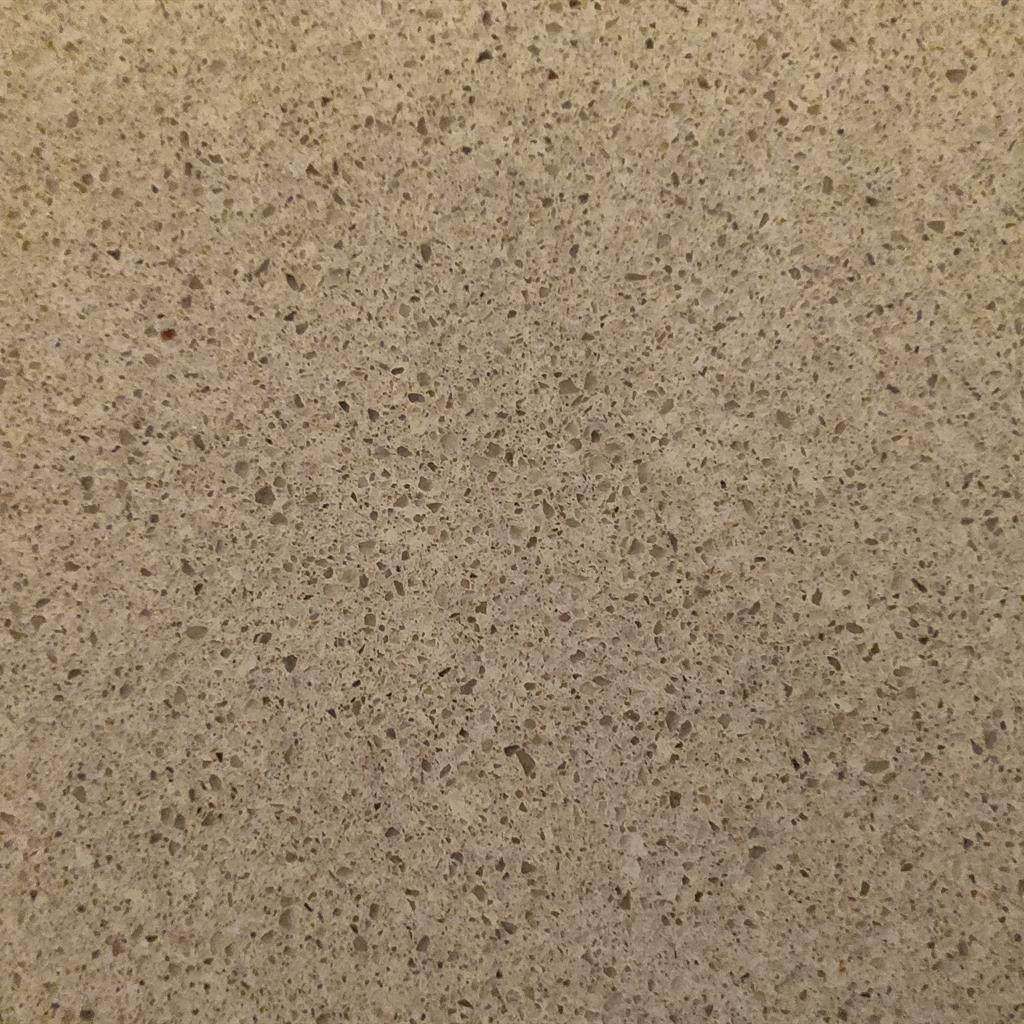
High-pressure architectural laminates combine a warm dielectric core with a microscopic resin ripple normal map to produce authentic, soft specular reflection lobes.
In physical manufacturing, decorative laminate sheets are cured under extreme thermal pressure between steel cauls. The cooling resin naturally develops subtle micro-undulations that scatter reflected light into soft, organic reflection lobes. Below is the full technical pipeline for authoring, balancing, and shading realistic glossy beige laminate materials in Blender, Unreal Engine 5, and V-Ray.
Physics of High-Pressure Laminate (HPL) Surfaces
To configure a realistic shader, understand the physical stratification of high-pressure decorative laminates:
[Stratification of High-Pressure Decorative Laminate]
Layer 1: Melamine Resin Overlay (Crystal-clear protective topcoat with subtle micro-relief)
Layer 2: Decorative Printed Core (Warm beige pigment impregnated with resin)
Layer 3: Phenolic Kraft Paper Substrate (High-density backing bonded to MDF or plywood)- Dual Specular Reflection Lobes:
Laminate does not reflect light as a single unified interface. Light first encounters the glossy outer melamine film, which reflects sharp specular glints governed by a dielectric Index of Refraction (
IOR: 1.50 - 1.53). A fraction of light penetrates deeper, scattering across the solid beige pigment layer beneath before bouncing out as diffuse reflectance. - The Microscopic “Orange-Peel” Phenomenon: Even high-gloss mirror-finish laminates are not laser-flat. Industrial pressing imparts a microscopic undulation known as orange peel or resin stipple. Without this high-frequency micro-normal, environment reflections appear unnaturally sharp and rigid, immediately breaking photographic realism.
- Dielectric Purity:
Melamine resin and decorative paper are 100% dielectric insulators. Setting
Metallicanywhere above0.0introduces conductor reflections that wash out the creamy beige undertones and produce unphysical gray specular flares.
Architectural Laminate PBR Parameter Calibration Matrix
The table below outlines physical parameters and normal vector calibration for prominent commercial laminate finishes:
| Laminate Finish Variety | Base Color (RGB Hex) | Base Roughness | Clearcoat Weight | Clearcoat Roughness | Normal Map Style | Normal Map Strength |
|---|---|---|---|---|---|---|
| High-Gloss Mirror Beige | #E6DDD2 (Warm sand beige) | 0.08 - 0.14 | 1.0 | 0.02 - 0.04 | Ultra-fine Perlin orange-peel stipple | 0.02 - 0.05 |
| Satin Suede Laminate | #DED5C8 (Muted putty beige) | 0.32 - 0.45 | 0.0 | N/A | Isotropic Voronoi micro-grain | 0.10 - 0.20 |
| Textured Linen Laminate | #D8CDBE (Woven oatmeal beige) | 0.55 - 0.70 | 0.0 | N/A | Fine cross-hatch textile weave normal | 0.40 - 0.65 |
| Matte Anti-Fingerprint (Fenix) | #D5CAC0 (Soft clay beige) | 0.75 - 0.88 | 0.0 | N/A | Super-fine nanotech planar scatter | 0.03 - 0.06 |
| Pearl Fleck Gloss Laminate | #EBE4D8 (Champagne pearl) | 0.12 - 0.20 | 0.8 | 0.05 - 0.08 | Directional metallic flake micro-glint | 0.15 - 0.30 |
Note: For edge banding seams along cabinet doors, author a localized edge-wear normal map (0.5mm width) to simulate the subtle chamfer and glue seam between face panels and edge strips.
Step-by-Step: Setting Up a Dual-Lobe Laminate Shader
Follow this step-by-step workflow to construct a production-ready glossy laminate shader in Blender Principled BSDF or Unreal Engine 5:
- Calibrate Base Color Values:
In your Base Color input, dial in a calibrated warm dielectric tone such as
#E6DDD2(RGB0.90, 0.86, 0.82linear). Keep saturation low (< 15%) to avoid an oversaturated yellow plastic look. - Author the Micro Orange-Peel Normal Map:
Generate a tileable normal map featuring multi-octave cellular or Perlin micro-waves with high frequency and ultra-low amplitude. Scale the texture tiling so the ripple features measure roughly
1mmto3mmin world space. - Configure the Clearcoat Layer:
- In Blender Principled BSDF: Set Clearcoat (or Coat Weight in Blender 4.x) to
1.0. Set Coat Roughness to0.03. Set Coat IOR to1.50. - In Unreal Engine: Use the Clear Coat shading model (
Shading Model: Clear Coat). Feed1.0into the Clear Coat input and0.04into Clear Coat Roughness.
- In Blender Principled BSDF: Set Clearcoat (or Coat Weight in Blender 4.x) to
- Wire the Orange-Peel Normal into the Topcoat:
In Unreal Engine, enable
Clear Coat Normalin your project settings. Route the orange-peel normal directly into the secondary clear coat normal input. This ensures the shiny protective resin layer catches soft undulating highlights while the underlying beige base coat remains smooth. - Round Corner Edges with Bevel Shader Normals:
Real laminate edges are never mathematically sharp. In Blender, add a Bevel node (
Radius: 1mm - 2mm) and blend it with your orange-peel normal map using vector math before plugging into the Principled BSDF normal input. In real-time engines, bake edge bevels directly into the mesh normal map.
[Blender 4.x Clearcoat Laminate Shader Architecture]
(Base Color: #E6DDD2) ───────────> [Principled BSDF: Base Color]
(Base Roughness: 0.12) ──────────> [Principled BSDF: Roughness]
(Metallic: 0.0) ─────────────────> [Principled BSDF: Metallic]
(Coat Weight: 1.0) ──────────────> [Principled BSDF: Coat Weight]
(Coat Roughness: 0.03) ──────────> [Principled BSDF: Coat Roughness]
(Orange-Peel Normal) ──[RNM]─────> [Principled BSDF: Normal / Coat Normal]
(Bevel Radius: 1.5mm) ──┘
Creating Production-Ready Architectural Laminate Textures
Manually painting tileable micro orange-peel stipples and subtle resin surface textures in 2D raster editors easily produces blurry gradients or tiling banding across large architectural joinery walls. Modern procedural and AI generators calculate mathematically continuous vector derivatives, creating seamless surface micro-relief that reacts naturally to dynamic photometric interior lighting.
If you need to generate production-ready laminate normal maps, clearcoat height fields, and complete PBR architectural surface sets, streamline your visualization workflow with our Free Online Normal Map and PBR Generator — Try Glossy Laminate Panel. You can also generate seamless modular cabinet, wall, and countertop surfaces using our Seamless Texture Generator Online.
Architectural Laminate Production Checklist
-
Metalliclocked strictly to0.0; synthetic laminates are 100% dielectric resins. - Orange-peel normal map kept at subtle intensity (
0.02 - 0.05) to prevent distorted reflections. - Clearcoat layer activated (
Weight: 1.0,Roughness: 0.02 - 0.05) for high-gloss HPL varieties. - Base Color saturation kept moderate (
< 15%) for natural dielectric interior finishes. - Edge banding bevels baked or simulated with shader bevel nodes to soften sharp polygonal corners.
Related reading: Grey Lacquer Texture PBR Guide · How to Preview PBR Materials Online · Roughness Map Guide · Flat Normal Map Color Explained