
Real-world leather is one of the most optically complex materials in both character art and product visualization. It sits at a frustrating intersection: it has a warm, inviting sheen that reads almost glossy, yet it is undeniably rough and irregular at every scale. Artists who set roughness too low get plastic. Artists who set it too high get felt. And nearly everyone underestimates how critical the micro-grain normal map is — without pebbled or smooth-grain relief, even a perfectly calibrated roughness value leaves leather texture reading as painted cardboard.
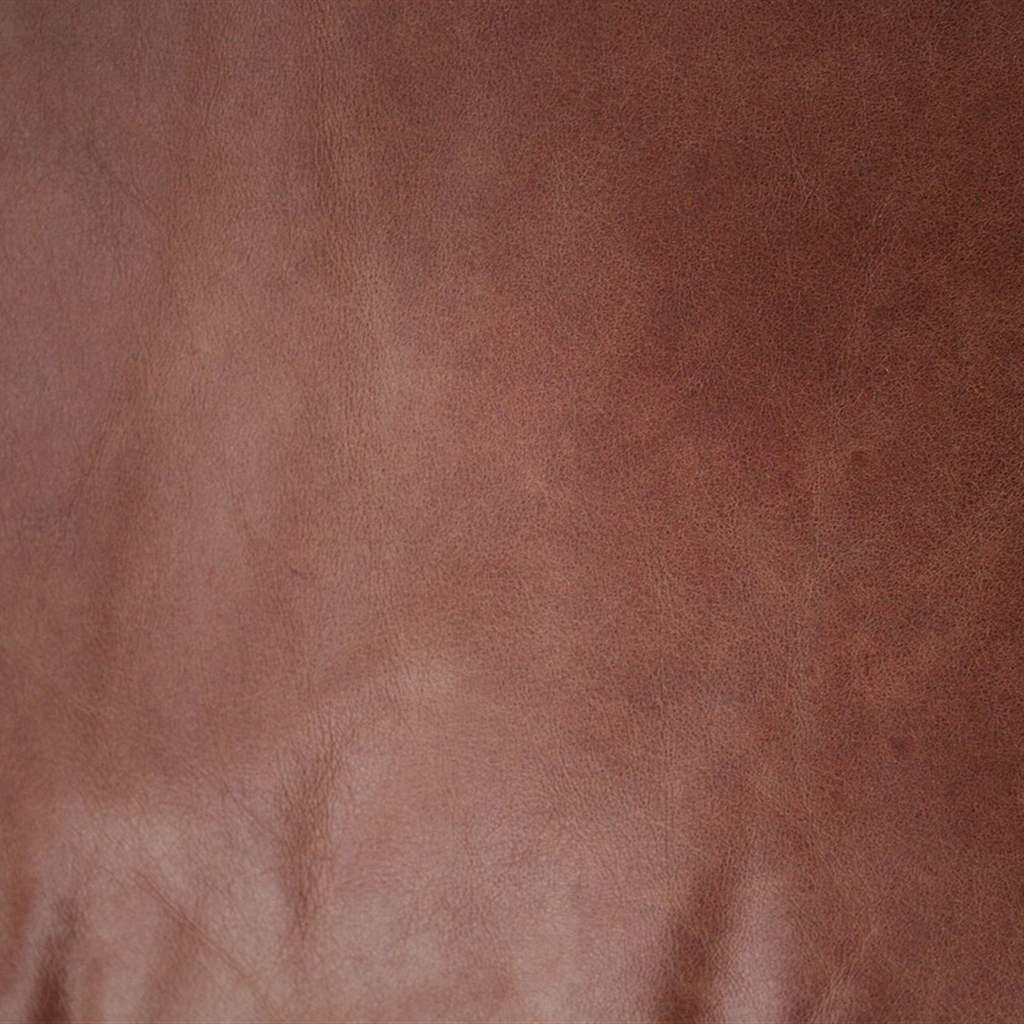
Leather’s characteristic warmth comes from the interplay between micro-grain normal relief scattering specular lobes and the subsurface dye layer diffusing light from beneath the surface coating.
What makes leather distinctive is not a single optical behavior, but four simultaneous physical mechanisms happening at different depth layers. Understanding each layer — and routing it correctly through PBR shader channels — is the difference between photorealistic leather and brown plastic with a bump map applied. Below is the complete technical workflow for authoring, calibrating, and shading leather textures across smooth top-grain, pebbled full-grain, and aged distressed leather types.
The Four Optical Layers of Real Leather
Real animal hide is a hierarchical stack of biological structures, each influencing how light interacts:
[Leather Optical Layer Stack]
Layer 1: Surface Coating / Finish Lacquer (0.01mm)  → Controls Clearcoat / Specular IOR
Layer 2: Grain Layer – Compressed Follicle Pores (0.05–0.5mm) → Normal Map + Roughness
Layer 3: Corium / Fiber Network (2–4mm)             → Subsurface Color + Base Color
Layer 4: Fat Liquor Residue / Dye Migration → Color Variation + Saturation modulation- Surface Lacquer or Wax Finish (Specular Layer): Most commercial leathers receive a polymer finish coat that provides the characteristic soft sheen. This layer has an Index of Refraction of
1.46 – 1.52and adds a thin specular highlight on top of the rough grain. Without modeling this separately (via Clearcoat or a secondary Specular layer), leather loses its depth and looks flat. - Grain Structure (Normal Map Layer): The most visually distinctive element. Full-grain leather retains natural follicle pore patterns; corrected-grain leather is sanded and embossed with artificial grain. This micro-relief scatters specular lobes into the soft, blurred highlights leather is known for.
- Corium (Subsurface Diffuse Layer): The fibrous middle layer is saturated with dye and tanning agents. Light penetrating the grain layer scatters through the corium before exiting, giving leather its warm, slightly luminous diffuse response — particularly visible in vegetable-tanned leather.
- Age and Wear Accumulation: High-contact edge areas, stitching lines, and flex creases accumulate oils and micro-abrasions. These zones exhibit lower roughness (smoother from polishing) at edges, and higher roughness (rougher from cracking) in flexed zones.
PBR Leather Parameter Calibration Table
Different leather tanning processes, grain corrections, and finish types produce very different reflectance profiles. Use this matrix to configure your physical leather shaders:
| Leather Type | Base Color (RGB Hex) | Roughness Range | Metallic | Clearcoat Weight | Normal Map Style | Normal Strength |
|---|---|---|---|---|---|---|
| Smooth Top-Grain (Black) | #1A1612 (Deep neutral black) | 0.35 - 0.52 | 0.0 | 0.5 – 0.8 | Fine isotropic micro-dots, soft follicle craters | 0.15 - 0.30 |
| Pebbled Full-Grain (Tan) | #9B6840 (Warm saddle tan) | 0.45 - 0.65 | 0.0 | 0.2 – 0.4 | Bold irregular Voronoi pebble grain, deep follicle wells | 0.40 - 0.70 |
| Vegetable-Tanned (Natural) | #C19A6B (Light buff cognac) | 0.55 - 0.72 | 0.0 | 0.1 – 0.3 | Soft natural grain with organic fiber direction | 0.25 - 0.45 |
| Suede / Nubuck (Brushed) | #B8A090 (Warm mauve beige) | 0.78 - 0.94 | 0.0 | 0.0 | Fine directional micro-fiber nap, anisotropic scratches | 0.10 - 0.20 |
| Aged Distressed Leather | #6B4526 (Deep cracked cognac) | 0.55 - 0.85 | 0.0 | 0.0 – 0.2 | Deep crack network, raised wax polish ridges, worn edges | 0.60 - 1.10 |
Note: Leather is a 100% dielectric organic material. Metallic must remain strictly 0.0. Metallic hardware (buckles, rivets, zippers) must be separated onto a different material slot with distinct Metallic values.
Step-by-Step: Authoring a Production Leather Shader
Follow this workflow in Blender Principled BSDF or Unreal Engine 5 Material Editor:
-
Calibrate Base Color with Depth Layering: Leather dye is absorbed unevenly. Darker values pool in deep pore cavities, while raised grain peaks bleach slightly. Multiply your solid leather color by an inverted AO map clamped to
[0.75, 1.0]to simulate this dye depth variation. For tan vegetable leather, this creates the characteristic lighter ridges and darker wells that mark genuine full-grain hide. -
Build the Grain Normal Map: Pebbled leather grain is a Voronoi-cell-like structure. Generate it using:
- Blender Shader Editor:
Voronoi Texturenode (F1 distance, scale28 – 45) →Bumpnode (Strength0.45) → feed toPrincipled BSDF > Normal. - Or import a scanned tileable grain normal map at
4x – 8xworld-space tiling, ensuring the follicle pores read clearly at close camera distances.
- Blender Shader Editor:
-
Configure the Finish Coating (Clearcoat): In Blender 4.x Principled BSDF:
- Coat Weight:
0.6for standard semi-gloss finish;0.9for patent leather. - Coat Roughness:
0.10 – 0.20(slightly glossy protective finish layer). - Coat IOR:
1.49(polyurethane finish).
In Unreal Engine 5, switch Shading Model to
Clear Coatand feed0.6into the Clear Coat pin,0.15into Clear Coat Roughness:[Blender 4.x Leather Shader Architecture] (Base Color: dye-variation composite) ──> [Principled: Base Color] (Roughness: 0.55, AO-modulated) ──> [Principled: Roughness] (Metallic: 0.0) ──> [Principled: Metallic] (Coat Weight: 0.6) ──> [Principled: Coat Weight] (Coat Roughness: 0.15) ──> [Principled: Coat Roughness] (Grain Normal: Voronoi bump, 0.45) ──> [Principled: Normal / Coat Normal] - Coat Weight:
-
Add Edge Wear Along UV Seam Zones: High-contact zones (handle grips, bag corners, shoe toe-caps) accumulate skin oils that polish the grain flat. Create a UV edge gradient mask and use it to locally reduce Roughness to
0.22 – 0.35and lower Coat Weight to simulate polished leather edges. Simultaneously drive the Base Color slightly darker — compressed, oily leather absorbs dye deeper. -
Model Flex Creases for Aged Leather: Repeated bending cracks the finish coating along predictable flex lines. Bake or paint a crease normal map with sharp V-groove ridges (
Normal Strength: 0.80 – 1.20). Blend it onto aged leather with a painted crease weight mask. Crease zones should also have increased Roughness (0.80+) where the finish has flaked away.
Generating Custom Leather Textures and Normal Maps
Capturing high-quality tileable leather grain normals from photoscanning requires specialized macro photography, controlled studio lighting, and complex image processing to neutralize directional highlights. AI-powered PBR generators produce mathematically accurate grain normal maps and roughness channels from text descriptions, saving hours of photogrammetry setup.
If you need to generate production-ready leather normal maps, grain surface textures, and complete PBR material sets for character clothing, furniture, and accessories, build your asset library with our Free Online Normal Map and PBR Generator — Try Pebbled Saddle Leather. You can also generate seamless tileable leather upholstery and clothing surfaces using our Seamless Texture Generator Online.
Leather Texture Production Checklist
-
Metalliclocked strictly to0.0; metal hardware placed on a separate material slot. - Grain normal map tiled at
4x – 8xworld space to preserve follicle pore clarity at close camera distance. - Clearcoat layer configured (
Weight: 0.4 – 0.8,Roughness: 0.10 – 0.20) on all non-suede leather types. - AO-modulated Base Color darkens pore wells, lightens grain ridges to simulate dye depth variation.
- Edge wear mask reduces Roughness to
0.22 – 0.35at high-contact grip zones. - Flex crease normals blended on aged leather (
Strength: 0.80 – 1.20) with boosted roughness in cracked zones.
Related reading: Leather Normal Map PBR Guide · Fabric Normal Map Textile Guide · Roughness Map Guide · Grunge Texture PBR Guide