
Texturing is the visual backbone of every 3D virtual environment. Whether constructing a decaying post-apocalyptic cityscape, a pristine sci-fi space station interior, or a lush fantasy forest, 3D artists need hundreds of distinct surface materials: brick, concrete, weathered metal, polished marble, bark, and fabric. Searching through stock texture websites often wastes hours on outdated catalogs, incompatible licenses, and low-resolution downloads that show visible seams when tiled. Deploying a specialized texture generator online eliminates these bottlenecks, allowing creators to describe any surface material in plain English and synthesize production-ready 4K seamless textures instantly.
However, moving from basic 2D image synthesis to real 3D texture generation requires understanding how procedural algorithms and diffusion models handle boundary wrapping, resolution scaling, and PBR channel alignment. Below is our comprehensive guide to evaluating online texture generators and optimizing them for real-time 3D pipelines.
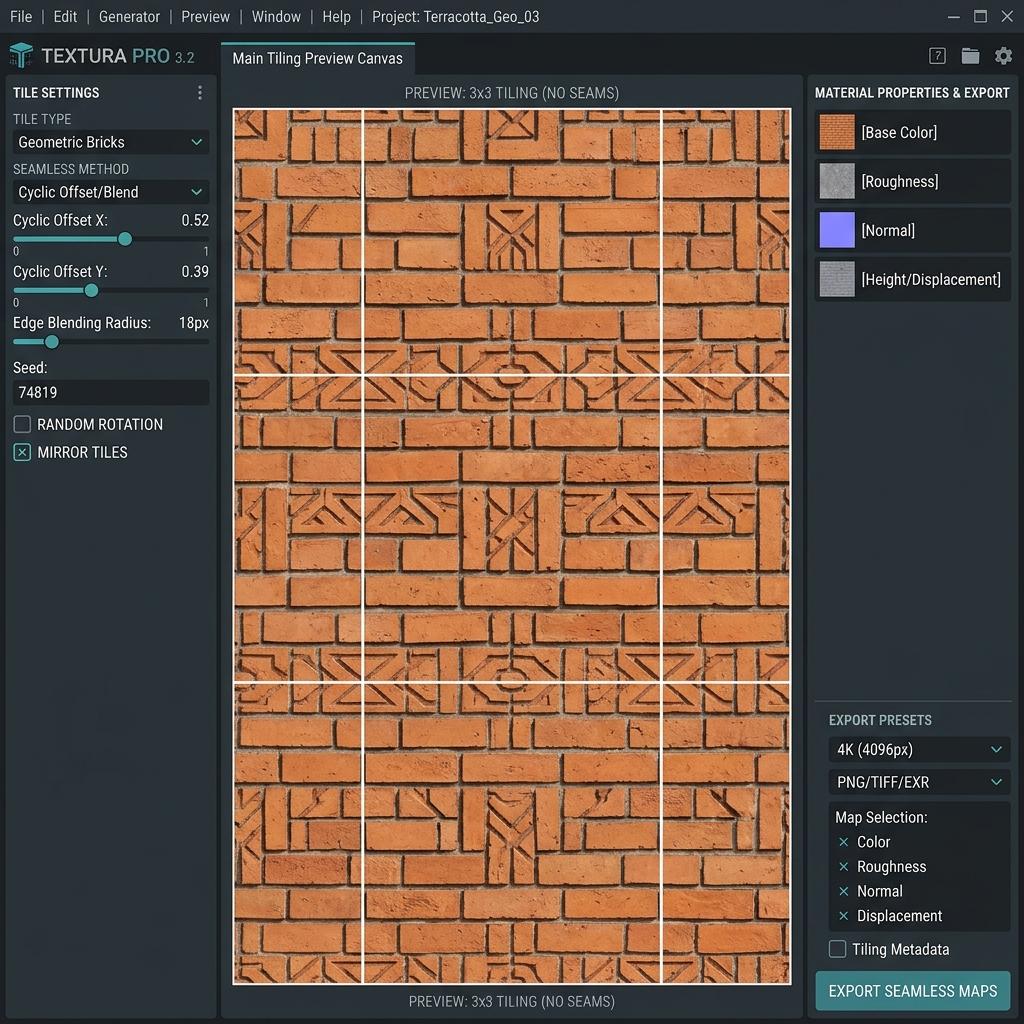
Online seamless texture generator workstation showing active 3x3 tiling preview and material export channels.
Evolution of Texture Generators: From Perlin Noise to Neural Diffusion
Understanding how texture generation technology evolved explains the massive leap in visual realism available today:
- First Generation: Procedural Noise Math (1980s – 2000s): Early generators relied on mathematical noise formulas like Perlin, Simplex, and Worley (Cellular) noise. While mathematically infinite and seamless, they were limited to abstract cloudy patterns, marble veins, and basic wood grain, lacking real-world photographic micro-detail.
- Second Generation: Node-Based Graph Editors (2010s): Software suites like Substance Designer introduced complex node graphs, blending hundreds of procedural masks and bitmap samples. While exceptionally powerful for technical artists, mastering these graphs takes months of study, and authoring a single material requires hours of manual tuning.
- Third Generation: Neural PBR Diffusion (Modern Era): Modern AI texture generators leverage diffusion models trained on physical cross-polarized material scans. By incorporating cyclic convolution padding and monocular depth estimation, they produce photorealistic, delit 4K textures with synchronized normal, roughness, and displacement maps in seconds.
Comparison: Stock Texture Libraries vs. Online AI Texture Generators
| Feature / Dimension | Traditional Stock Texture Sites | In-House Substance Authoring | Online AI Texture Generator (Our Tool) |
|---|---|---|---|
| Material Availability | Fixed library (if it’s not listed, you can’t get it) | Limited only by artist skill | Infinite (any described material) |
| Turnaround Speed | 10 to 30 minutes searching catalogs | 4 to 12 hours authoring graph | 10 to 20 seconds |
| Cost | $15 to $50 per texture credit | Expensive recurring licenses | Free daily quota / low-cost HD |
| Seamless Tileability | Often hit-or-miss across borders | 100% seamless | 100% automated cyclic boundary wrap |
| Hardware Requirements | Fast internet connection | Powerful GPU workstation | Any device via modern web browser |
How to Test and Verify Tileable Seams
The true test of any texture generator is whether it tiles cleanly across large surfaces without obvious repetition patterns:
- The 50% Offset Test:
In any 2D editing tool or inside our online previewer, offset the texture by
+50%on the X-axis and+50%on the Y-axis. The outer borders wrap into the center of the canvas. If the generator operates correctly, no vertical or horizontal seams will be visible down the middle. - Macroscopic Value Balance: Avoid generating textures with a single bright light spot or dark smudge on one side. When repeated across a 50-meter game terrain, that single dark blotch creates an ugly, unnatural checkerboard repetition pattern.
- Detail Frequency Layering: Blend small micro-textures (like sand or fabric weave) over macro architectural forms to maintain crisp visual fidelity whether the player camera is 50 meters away or inspects a wall from 2 inches away.
Generate Normal Maps and Custom Materials Online
Create unique, production-grade materials for your game engine or 3D art portfolio without spending hours on complex node graphs.
If you need to generate production-ready normal maps and PBR textures for this workflow, start with our Free Online Normal Map Generator — Try Brushed Anodized Aluminum.
You can also generate tileable surface textures for modular environment meshes using our Seamless Texture Generator — Try Brushed Aluminum Texture.
Production Pipeline Checklist for Generated Textures
- Texture prompt excludes direct sunlight, sharp shadows, and camera flash reflections.
- Offset test executed to confirm zero edge seam artifacts along X and Y axes.
- Normal map generated with proper coordinate format (OpenGL for Blender/Unity; DirectX for Unreal Engine).
- Color space configured properly: Albedo in sRGB; Normal, Roughness, and Metallic in Linear (Non-Color).
- Mipmapping enabled in game engine to eliminate shimmering moiré artifacts at long viewing distances.
Related Guides and Reading
- AI Texture Generator Guide: PBR Maps, Prompts, and 3D Workflows — In-depth guide to modern neural texturing workflows.
- What is a Tileable Texture: 3D Artists Guide — Eliminating seams and repetition artifacts on modular meshes.
- Best Normal Map Creator Online — Benchmark review of web-based normal vector tools.
- How to Create Seamless Textures Online — Step-by-step tutorial on synthesizing repeating environment surfaces.